Why Royalty-Free Music Still Gets Copyright Claims on YouTube
You downloaded a track labelled royalty-free music, used it in your YouTube video, followed the licence instructions, and still received a copyright claim.
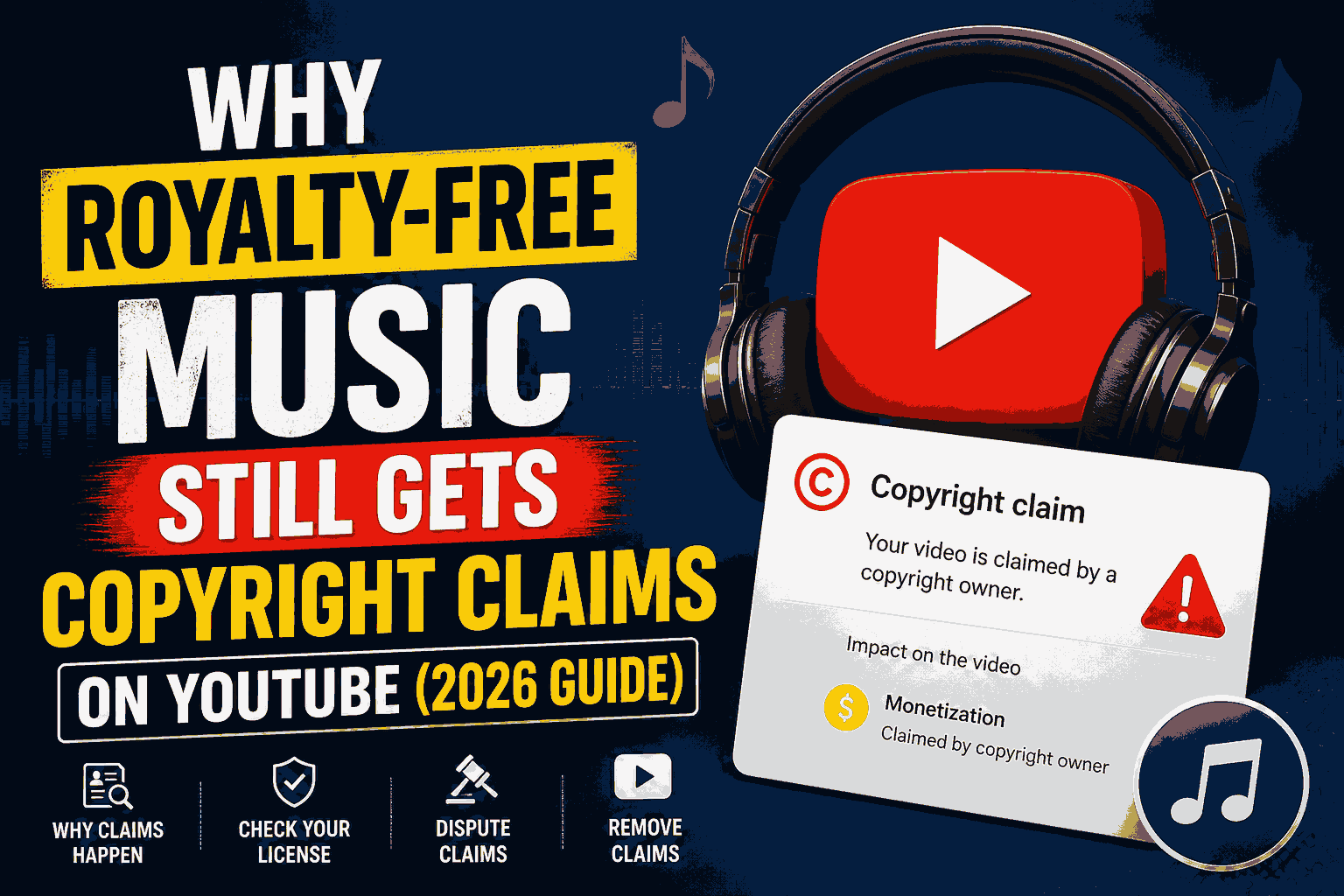
What happened?
The confusing part is that royalty-free does not mean copyright-free.
A royalty-free licence can give you permission to use music while the recording remains copyrighted and registered with YouTube's Content ID system. When Content ID detects the recording in your upload, a claim can still appear even when your use may be properly licensed. YouTube itself warns creators that music from royalty-free or licensing sites can still generate claims depending on the terms of the service.
This guide explains why it happens, how to check whether your licence actually covers YouTube, when you should dispute a claim, and how to reduce the chance of receiving another music claim.
Why does royalty-free music get a copyright claim on YouTube?
The first thing to understand is that copyright permission and Content ID detection are two different things.
A licence answers:
“Am I allowed to use this music?”
Content ID answers:
“Does the audio in this upload match a copyrighted reference recording?”
YouTube automatically scans uploaded videos using Content ID. When it finds a match, the rights holder's selected policy can monetize, track or block the video, depending on the rights holder's settings and the territory involved.
So a claim does not automatically prove that you illegally used the music.
It can simply mean that YouTube recognized the recording.
Example
You purchase a licence for a background-music track.
The music company has also registered that recording with Content ID.
You add the track to your YouTube video.
Content ID recognizes the recording.
You receive a copyright claim.
Your licence may still be valid.
That is why the correct response is not automatically to panic or delete the video.
First, identify who made the claim and why.
What does “royalty-free” actually mean?
“Royalty-free” is commonly misunderstood.
It generally describes the way you pay for usage rights, not a statement that nobody owns the copyright.
The music can still have:
- A copyright owner
- A licensing agreement
- Usage restrictions
- Geographic limitations
- Commercial-use conditions
- Attribution requirements
- Content ID registration
- Restrictions on redistribution
YouTube specifically notes that some royalty-free or licensing services may not grant all the rights needed for YouTube monetization, and creators should read the service's terms carefully.
Therefore:
Royalty-free ≠ copyright-free
and
Royalty-free ≠ guaranteed Content ID claim-free
That distinction is the reason many creators receive apparently contradictory copyright notifications.
Why YouTube Content ID can claim licensed music
Content ID is designed to detect matching copyrighted material, not to read the licence agreement sitting on your computer.
YouTube explains that Content ID uses reference files supplied by eligible copyright owners and automatically scans uploaded videos for matches. When a match is found, a claim can be created and the rights holder's chosen policy can be applied.
The system therefore does not necessarily know that:
- you bought a licence,
- you paid for a subscription,
- you received permission from the creator,
- you downloaded the track from a legitimate library, or
- you complied with an attribution requirement.
The claim system and your licence documentation are separate.
That is why keeping proof of your licence matters.
The 7 most common reasons royalty-free music gets claimed
1. The track is registered with Content ID
This is probably the most common explanation.
A music library can license a track to creators while also registering the recording with YouTube's Content ID system.
When your video contains that recording, YouTube can identify the match.
That does not necessarily invalidate your licence.
In fact, some music providers publish instructions explaining how licensed users can release or manage Content ID claims. Recent 2026 creator guidance continues to document this situation.
2. Your licence covers YouTube, but not every type of monetization
A licence may allow you to use music in videos without giving you unlimited commercial rights.
For example, a licence could have specific conditions relating to:
- YouTube monetization
- Commercial channels
- Client work
- Advertisements
- Paid promotions
- Broadcast use
- Redistribution
- Music-only uploads
Never assume that buying a track automatically gives you every possible right.
Read the actual licence.
3. You downloaded a “no copyright music” track from an unofficial source
This is an especially common problem.
A YouTube channel may upload a track and call it:
“No Copyright Music”
That label is not proof that the uploader owns the music or has authority to licence it.
The track could have been:
- re-uploaded without permission,
- incorrectly labelled,
- licensed only for a specific use,
- registered by another rights holder,
- or taken from a commercial music library.
The result can be a Content ID claim from the actual rights holder.
YouTube specifically says it cannot take responsibility for problems caused by “royalty-free” music obtained from YouTube channels or other external libraries.
4. You used the correct track but the wrong licence
Music libraries often have multiple products.
A track might be available under:
- personal use,
- creator use,
- commercial use,
- business use,
- subscription use,
- one-project licensing,
- broadcast licensing.
The music may sound identical, but the rights attached to each licence can differ.
This is why your download history and invoice are not enough by themselves.
You should also save the licence terms applicable when you downloaded the track.
5. The licence requires attribution and you did not provide it
Some Creative Commons and library licences require attribution.
YouTube's Audio Library, for example, contains tracks that use Creative Commons licensing and require attribution in the video description.
Missing attribution does not necessarily explain every Content ID claim, but it can mean that you did not comply with the licence terms.
Always read the individual track requirements.
6. The claim comes from a different piece of audio
Sometimes the creator assumes the music library caused the claim when the actual match is something else.
For example, your video might contain:
- background music,
- a TV playing in the background,
- music from a cafe,
- a sound effect,
- a short song playing from a phone,
- another person's video,
- or audio embedded inside stock footage.
Content ID identifies matches in the upload; it does not simply assume which source you intended to licence.
Always open the claim details and check the exact timestamp.
7. Your licence is legitimate, but the claim has not been cleared automatically
This is the situation that frustrates creators the most.
You purchased the music.
You followed the licence.
The music is legitimate.
Yet the claim remains.
In this situation, your documentation becomes important.
The correct approach may be to follow the music provider's claim-release or whitelisting process, or dispute the claim through YouTube when you genuinely have the necessary rights.
Royalty-free vs copyright-free vs public domain
These terms are not interchangeable.
| Term | What it generally means | Does it guarantee no Content ID claim? | | ------------------------- | ---------------------------------------------------------------------------------------- | ------------------------------------------------------------------------- | | Royalty-free | Use is governed by a licence without recurring royalties in the ordinary sense | No | | Copyright-free | Often used loosely in marketing; not a reliable legal category by itself | No | | Creative Commons | The work is offered under a specific licence with stated conditions | No | | Public domain | The copyright restrictions on the underlying work have expired or otherwise do not apply | Not necessarily for every recording | | YouTube Audio Library | Music and sound effects provided through YouTube's own library under stated terms | YouTube says its copyright-safe tracks are not claimed through Content ID |
YouTube states that music and sound effects downloaded from its Audio Library are known to YouTube to be copyright-safe for use on YouTube. It also specifically warns that it is not responsible for issues arising from royalty-free music from external YouTube channels or other libraries.
This makes the distinction particularly important:
A public-domain composition does not automatically mean every recording of that composition is public domain.
The composition and the particular recording can have different rights.
What to do when royalty-free music gets a copyright claim
Do not immediately delete the video.
Work through the claim systematically.
Step 1: Open YouTube Studio
Go to:
YouTube Studio → Content → Claims
YouTube lets you filter videos with claims and view the details of the claimed content.
Check:
- Claimant
- Claimed audio
- Timestamp
- Policy
- Territory
- Video affected
This tells you what triggered the notification.
Step 2: Compare the claim with your licence
Now check your records.
Look for:
- Purchase receipt
- Licence PDF
- Subscription details
- Track name
- Artist name
- Download date
- Licence URL
- Attribution requirements
- Commercial-use terms
- Content ID instructions
Do not dispute simply because you paid for the music.
The important question is:
Does your licence actually give you the necessary rights for this specific use?
Should you dispute a royalty-free music copyright claim?
You can dispute a Content ID claim when you have a valid reason.
YouTube lists examples such as having the necessary rights, believing the content was misidentified, or having a valid copyright exception. YouTube also warns creators to dispute only when they are confident they have the necessary rights.
A purchase receipt can support your position, but the strongest evidence is the actual licence terms showing what you were permitted to do.
A weak reason
“I gave credit to the artist.”
Giving credit alone does not establish that you have the necessary rights. YouTube explicitly lists crediting the copyright owner as an insufficient reason by itself for a dispute.
A stronger reason
“I obtained a commercial licence for this track, and the licence explicitly permits use in monetized YouTube videos.”
Then provide the relevant documentation and follow the provider's required process.
How long does a YouTube copyright claim dispute take?
When you submit a Content ID dispute, the claimant is notified.
YouTube says the claimant has 30 days to respond to a dispute.
The possible outcome depends on the claim and the claimant's response.
They may:
- Release the claim
- Reinstate the claim
- Take other permitted action
That is why creators should avoid filing weak disputes simply because they dislike the claim.
A dispute should be based on an actual right or valid legal basis.
How to remove a music copyright claim without re-uploading
When the claim is valid and the music is not essential, YouTube provides editing options inside Studio.
Depending on the video and claim, YouTube allows creators to:
Trim the claimed segment
Remove the section containing the claimed material.
Replace the song
Replace the claimed music with another track from the YouTube Audio Library.
Erase or mute the song
You may be able to remove only the claimed song while leaving other audio, or mute all sound in the affected portion.
These tools can clear the claim without uploading the entire video again.
Important: YouTube states that since June 2025, saved edits made through the Studio Editor cannot be reverted to the original version using the previous revert function. Download a backup before making an edit you cannot easily recreate.
What if the royalty-free music claim is wrong?
There are several possibilities.
The music provider made the claim
Check your licence and follow the provider's claim-release instructions.
A third party made the claim
Investigate whether the claimant actually controls the recording.
The music was incorrectly identified
You can consider disputing the Content ID claim when you have a valid basis.
YouTube notes that rights holders are responsible for avoiding incorrect Content ID claims, and YouTube can take action against abusive or erroneous use of the system.
Do not assume that every claim is automatically correct.
But also do not assume that every claim is automatically wrong.
Check the evidence.
How to avoid royalty-free music copyright claims on YouTube
You cannot guarantee that every externally licensed track will produce zero claims.
You can, however, create a much cleaner workflow.
Use a reliable music source
For YouTube-specific use, the YouTube Audio Library is the simplest starting point because YouTube identifies its copyright-safe music and sound effects as safe from Content ID claims.
For external libraries, understand their licensing and Content ID procedures before publishing.
Save every licence
Create a folder for every music library you use.
For each track, save:
Track name → Artist → Licence → Invoice → Download date → Claim instructions
This takes minutes and can save significant time later.
Check commercial rights
Before using a track in a monetized video, verify that the licence permits monetized YouTube use.
Do not rely only on labels such as:
“Free”
or
“Royalty-free”
Read the terms.
Keep attribution where required
If a licence requires attribution, add it exactly as instructed.
Do not rewrite or remove required attribution information.
Test music before publishing
For important uploads, you can use YouTube's upload and copyright checks before making the final video public.
This is especially useful for channels that depend heavily on monetization.
Keep alternative music ready
If a particular library frequently generates claims that are difficult to resolve, maintaining a second music source can keep your publishing schedule moving.
Is YouTube Audio Library completely different from royalty-free music websites?
Yes, in an important practical sense.
YouTube's own Audio Library provides music and sound effects under its own licensing framework, and YouTube states that its copyright-safe library tracks are not claimed by rights holders through Content ID.
External libraries operate under their own agreements.
That means:
YouTube Audio Library
YouTube knows the library and its licensing framework.
External music library
You are relying on the external provider's licence and claim-management system.
Neither statement means that every external provider is unsafe.
It means that you should understand the difference.
What about YouTube Shorts?
Shorts creators should be particularly careful about music.
YouTube's current Shorts rules distinguish between music used through YouTube's Shorts tools and music added independently to the uploaded file.
For three-minute Shorts, YouTube says creators may use eligible music available through the Shorts Audio Library, while royalty-free music from the YouTube Audio Library will not receive a Content ID claim.
There are also specific rules for Shorts with active copyright claims, so creators should check the current YouTube rules rather than applying assumptions from normal long-form videos.
This is another reason to avoid the general belief that:
“It's only a Short, so copyright doesn't matter.”
It does.
Can a copyright claim remove monetization?
A claim can affect monetization depending on the rights holder's selected policy.
YouTube says Content ID claims can result in the rights holder monetizing the video, tracking it, or blocking it, sometimes differently by territory.
For a creator, that can mean:
- Your video remains online but advertising revenue is affected.
- The video is restricted in particular countries.
- The video is blocked.
- The claim remains while you resolve the licensing issue.
A Content ID claim is not automatically a copyright strike. YouTube explicitly distinguishes claims from copyright removal requests and strikes.
For the full distinction, see:
[Copyright Claim vs Strike on YouTube: The Real Difference](https://www.cr-removes.in/blog/youtube-copyright-claim-vs-strike)
The biggest mistake: assuming “royalty-free” means “claim-free”
This is the most important takeaway from this entire topic.
When you see:
Royalty-free
do not immediately translate it into:
No copyright
Instead, ask:
Who owns the recording?
What licence did I receive?
Does the licence allow monetized YouTube use?
Can the track be registered in Content ID?
What should I do if a claim appears?
Do I need attribution?
Those questions are much more useful than searching for another website advertising “100% no copyright music.”
A simple workflow for YouTube creators
Use this workflow every time you add external music:
1. Find the track
↓
2. Read the licence
↓
3. Confirm YouTube + monetization rights
↓
4. Check attribution requirements
↓
5. Download the licence/receipt
↓
6. Add the music
↓
7. Upload and check for copyright notices
↓
8. If claimed, inspect the exact claimant and timestamp
↓
9. Compare the claim with your licence
↓
10. Release, dispute, replace or remove the music according to the actual situation
This is much safer than trying to solve a claim after the video has already accumulated views.
What about background music playing quietly?
Lower volume does not automatically make copyrighted music safe.
A song can still be identifiable when it is playing quietly in:
- A restaurant
- A shopping mall
- A car
- A television
- A phone
- A public event
- Another video playing in the background
Content ID is designed to identify matching copyrighted material in uploads.
So if you are recording an interview or vlog, pay attention to what is playing around you.
The best solution is usually to remove or replace unintended background music during editing.
Should you use “no copyright music” YouTube channels?
Treat them carefully.
A video title or thumbnail saying:
No Copyright Music
is not itself a licence.
Before using the track, find out:
- Who created it?
- Where is the original licence?
- What are the usage conditions?
- Is monetization permitted?
- Is attribution required?
- Can Content ID claims occur?
- How are claims released?
If those answers are unclear, look for a better documented source.
Final checklist before using royalty-free music
Before exporting your next YouTube video, ask:
☐ Do I know who owns the recording?
☐ Did I read the licence?
☐ Does the licence permit YouTube monetization?
☐ Did I save proof of the licence?
☐ Does the track require attribution?
☐ Does the provider explain its Content ID policy?
☐ Have I checked the upload for copyright notices?
☐ Do I know what I will do if a claim appears?
If you can answer all eight, you have a much more reliable music workflow.
Frequently asked questions
Why did I get a copyright claim on royalty-free music?
Because royalty-free music can still be copyrighted and registered with YouTube's Content ID system. A Content ID match and a music licence are separate issues.
Is royalty-free music safe for YouTube?
It depends on the licence. “Royalty-free” alone does not guarantee that the track is free from Content ID claims or that your specific use is permitted.
Can royalty-free music be monetized on YouTube?
Some licences allow monetized YouTube use and others may impose restrictions. Check the actual licence terms before relying on a track for a monetized channel.
Can I dispute a copyright claim if I bought the music?
You can consider disputing it when you genuinely have the necessary rights. YouTube recommends disputing only when you are confident that your use is authorized or another valid reason applies.
Does giving credit remove a copyright claim?
No. YouTube specifically states that giving credit to the copyright owner is not, by itself, a valid reason to dispute a Content ID claim.
What is the safest free music for YouTube?
For YouTube use specifically, YouTube says music and sound effects from its Audio Library that are marked copyright-safe are not claimed through Content ID.
Can I remove a music copyright claim without deleting my video?
Often yes. Depending on the claim, YouTube Studio may let you trim the claimed segment, replace the song or erase/mute the claimed audio.
Is a copyright claim the same as a copyright strike?
No. A Content ID claim is different from a copyright takedown and copyright strike.
How long does a copyright claim dispute take?
After a Content ID dispute is submitted, YouTube says the claimant has 30 days to respond.
Conclusion
A royalty-free music copyright claim on YouTube does not automatically mean you used the music illegally.
The real issue is understanding the difference between:
copyright ownership, licensing rights and Content ID detection.
A track can be legally licensed and still trigger an automated claim.
When that happens, do not rely on the label “royalty-free” alone. Check the claimant, inspect the timestamp, read the licence, keep your documentation and use YouTube's dispute or editing tools when the situation supports it.
For creators who publish frequently, this simple habit can prevent hours of unnecessary troubleshooting.
And remember:
Royalty-free does not mean copyright-free.
A Content ID claim does not automatically mean a copyright strike.
And a licence does not automatically prevent Content ID from identifying the recording.
For the broader copyright workflow, read:
[How to Not Get Copyrighted on YouTube](https://www.cr-removes.in/guides/how-to-not-get-copyrighted-on-youtube)
For claim-resolution techniques, read:
[How to Remove Copyright from a Video](https://www.cr-removes.in/blog/remove-copyright-from-video)
For the difference between the two major YouTube copyright actions, read:
[Copyright Claim vs Strike on YouTube](https://www.cr-removes.in/blog/youtube-copyright-claim-vs-strike)